Brain
A local-first markdown notes app for macOS. Your notes stay as plain .md files on your disk — compatible with Obsidian, Git, and any text editor.
v0.4.0 · Apple Silicon · unsigned build · all releases
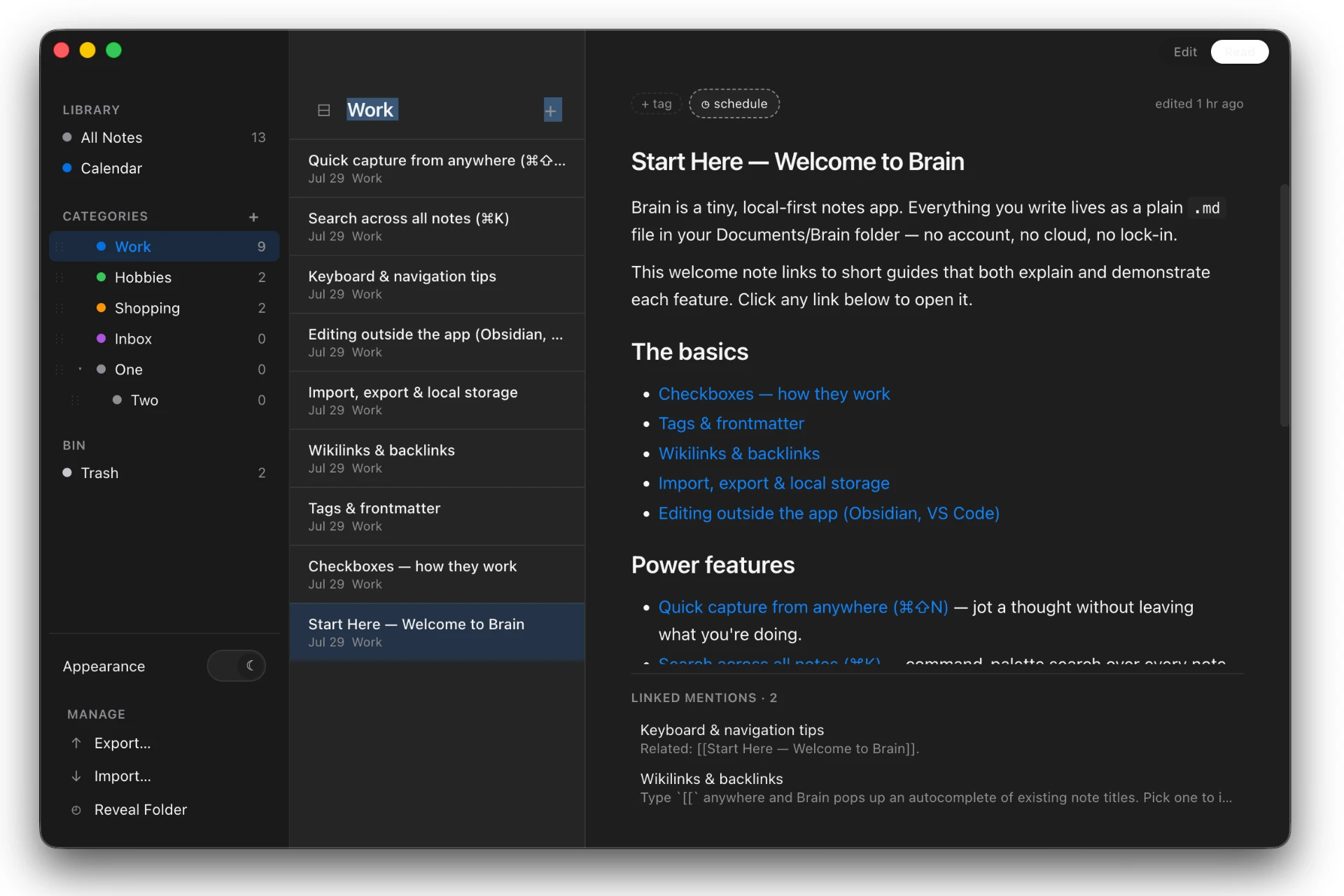
Brain 0.4.0 — local Markdown notes, nested categories, calendar, wikilinks, and Inbox.
What makes Brain different
Most note apps lock your thoughts inside a database or a cloud account. Brain does not. Your vault is just a folder of Markdown files on your Mac. You can open it in Brain, edit it in Obsidian, sync it with Git, or back it up with Time Machine. The app is designed to stay out of the way while giving you the structure you need to think clearly.
Features
Plain Markdown files
Every note is a .md file on your disk. No import, no export, no proprietary format. You already own your notes.
Wikilinks & backlinks
Type [[Another Note]] to link between notes. Each note shows a Linked mentions section listing every note that points back to it.
Edit / Read mode
Toggle between raw Markdown and a rendered, read-only view with ⌘⇧R. Edit mode is for fast writing; Read mode is for focused reading.
Interactive checkboxes
Click any - [ ] task in Read mode to mark it done. The underlying Markdown file updates instantly.
Rich paste → Markdown
Paste formatted text from a browser, ChatGPT, or Google Docs and Brain converts it to Markdown before inserting it. Tables, headings, lists, code blocks, and links are preserved.
GFM tables
Tables render correctly in both Edit and Read mode, with per-column alignment preserved. Copy a table from ChatGPT and it just works.
Global ⌘K search
Open the command palette anywhere in the app and search across every note. Fuzzy matching covers titles and bodies, so you can find notes by the words inside them.
Quick capture hotkey
Press ⌘⇧C from any app to open a small, always-on-top capture window. Type a thought, press ⌘⏎, and it is appended to your Inbox note without switching contexts.
Reorderable categories
Drag categories in the sidebar into the order that matches how you think. Order is saved in app config, not folder names, so your vault stays Obsidian-compatible.
Native spellcheck
Misspelled words are underlined in red. Right-click one for suggestions, Add to Dictionary, and the standard macOS text editing actions.
YAML frontmatter
Each note can include a frontmatter block for title, tags, created, and modified timestamps.
Two-way disk sync
Edit a note in another app and Brain reflects the change. Edit it in Brain and the file on disk updates. No manual sync needed.
Getting started
- Download
Brain-darwin-arm64.zipand unzip it. - Drag
Brain.appto your Applications folder. - Open Brain. On first launch it will ask you to choose a vault folder — this is where your notes live.
- Start writing. Every .md file in that folder becomes a note, and every subfolder becomes a category.
Because the app is not code-signed yet, macOS may warn you on first launch. If you see "Brain.app is damaged," open Terminal and run:
xattr -cr /Applications/Brain.app
Then open the app normally. You only need to do this once.
Keyboard shortcuts
FAQ
Where are my notes stored?
In a folder you choose on your Mac. Every note is a .md file, and every subfolder is a category. You can open the same folder in Obsidian, VS Code, or any Markdown editor.
Do I need an account?
No. There is no login, no cloud, and no telemetry. Your notes are entirely on your machine.
Can I sync my notes between devices?
Yes, by syncing the vault folder yourself — for example with iCloud Drive, Dropbox, Git, or Syncthing. Brain reads the files directly, so any sync method works.
Is it free?
Yes, Brain is open source and free. The source code is available on GitHub under the MIT license.
Is there a Windows or Intel Mac version?
Not yet. The current release is for Apple Silicon Macs. Intel and Windows builds may follow.
Download Brain 0.4.0
Apple Silicon · macOS · unsigned build